PurpleTie
Led the redesign of an on-demand laundry app to improve onboarding clarity, build trust, and help first-time users place their first order with confidence.
Role
Product Design Lead
Team
2 Product Design Leads
4 Product Designers
1 Product Manager
5 Developers
Timeline
Deliverables
Mobile Prototype
Annotated Designs
Context
PurpleTie is an on-demand laundry and dry-cleaning service used by 400+ companies, including Microsoft, Google, and Amazon, as well as 10,000+ users across the Bay Area.
Despite an established user base, the mobile app received repeated complaints around usability, clarity, and trust, particularly during onboarding and order placement. As a result, many first-time users dropped off before completing onboarding or placing their first order.
My Role
As the Product Design Lead, I guided project planning, client communication, research coordination, and design consistency across the app. I also contributed hands-on by redesigning the onboarding experience, home page, and key parts of the order flow, with the goal of reducing first-time user confusion and improving order completion for Home users.
Problem
Early interactions in the app did not give users enough context to feel confident moving forward. New users were asked for address and payment details before understanding how the service worked. Pricing information was difficult to find, flows felt long and unpredictable, navigation was inconsistent, and the difference between Home and Work accounts was unclear.
Together, this led to a single core issue:
Core Issue
Users did not build enough trust or understanding early on to complete key actions, especially finishing account setup and placing their first order.
Research
To identify the main sources of friction, we conducted task-based usability interviews with 10 participants aged 18–67, most of whom had never used an on-demand laundry app before.
Participants were asked to think aloud while:
Creating an account
Placing an order
Finding service and pricing information
Viewing order history and editing account details
We organized our research into an affinity map and identified the following key insights:
Trust broke too early
Users hesitated to continue because sensitive information was requested before the service was clearly explained.
Pricing lacked transparency
Users wanted to understand cost upfront, but pricing was buried behind multiple steps or external links.
Order flow felt fragmented
Order information was split between onboarding and ordering, leaving users unsure what details applied to their current order.
Users felt lost after onboarding
The home screen prompted users to start an order, without surfacing service details or past and current order information.
Designs
The original onboarding flow asked users to commit before they had enough context to feel confident in the service.
Old Onboarding Flow:
No explanation on what PurpleTie is, how it works, and services they provide
Forced users to choose Home versus Work without explanation
Asked for sensitive information such as address and payment information immediately
Followed a long, unclear sequence with no sense of progress
To address this, I redesigned onboarding to focus on clarity first and commitment second.
Redesigned Onboarding Flow:
Introduces PurpleTie through a short, multi-step explanation of how the service works
Clearly explains Home and Work accounts on a single screen
Adds visible progress indicators so users know how many steps remain
Defers address and payment setup until the user is ready to place an order
By shifting sensitive inputs later and clearly communicating the purpose of each step, onboarding feels faster, more predictable, and less intimidating.
Previously, the home screen pushed users to start an order without helping them orient themselves.
Old Home Page:
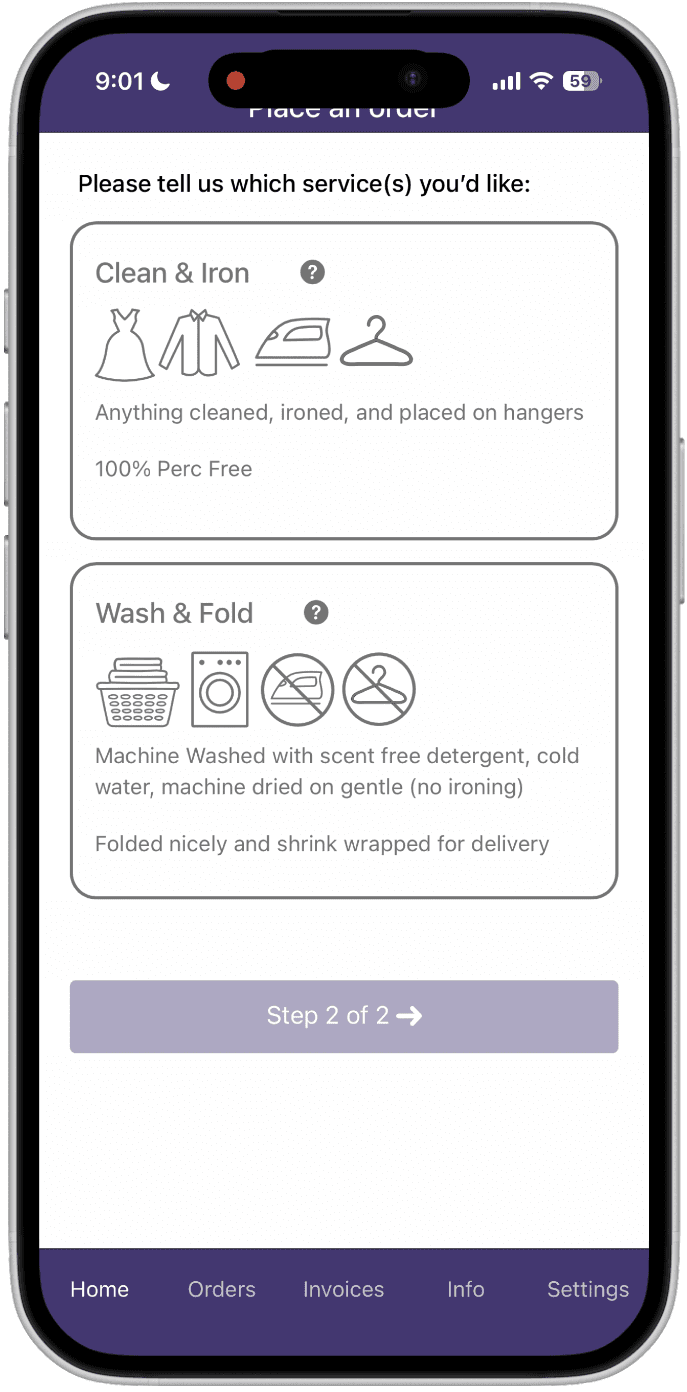
Focused on a single primary action, placing an order, with little context
Did not clearly surface service details or pricing
Offered no visibility into current or past orders
I reframed the home screen as a launch point rather than a dashboard.
Redesigned Home Page:
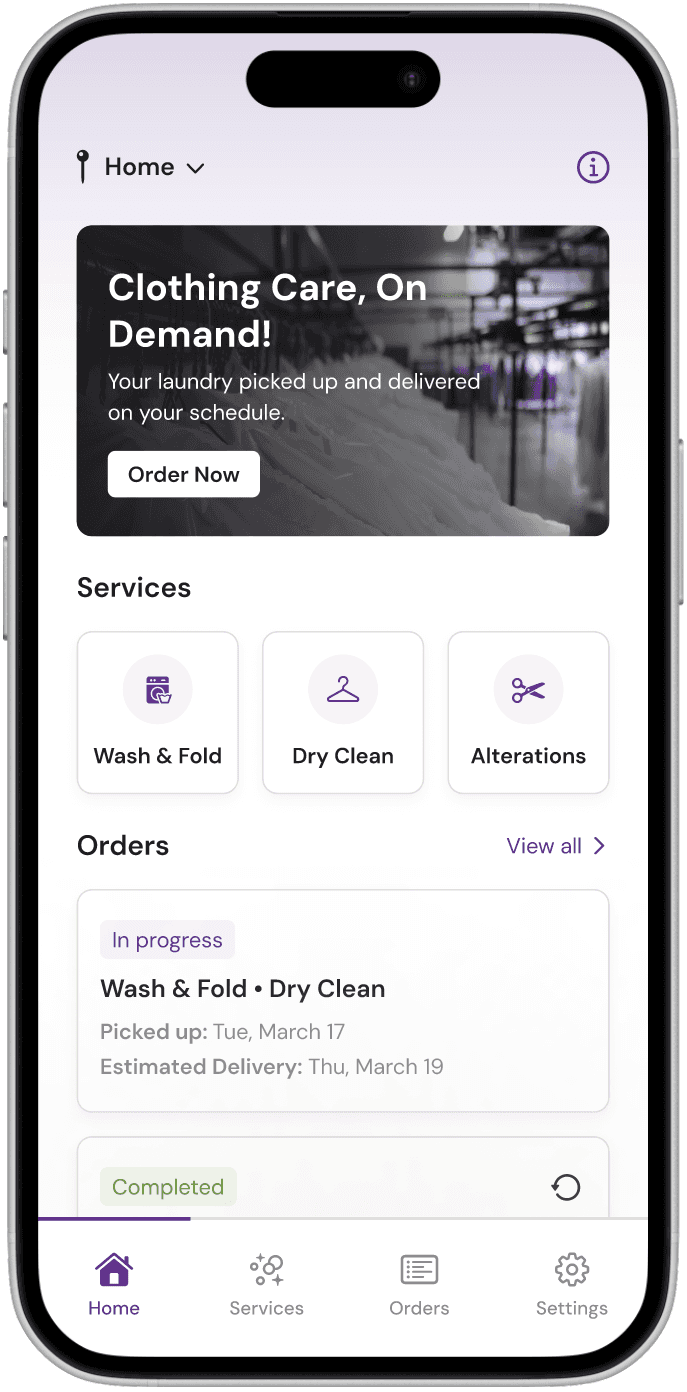
Prioritizes placing an order as the primary action
Surfaces service categories that link directly to pricing and descriptions
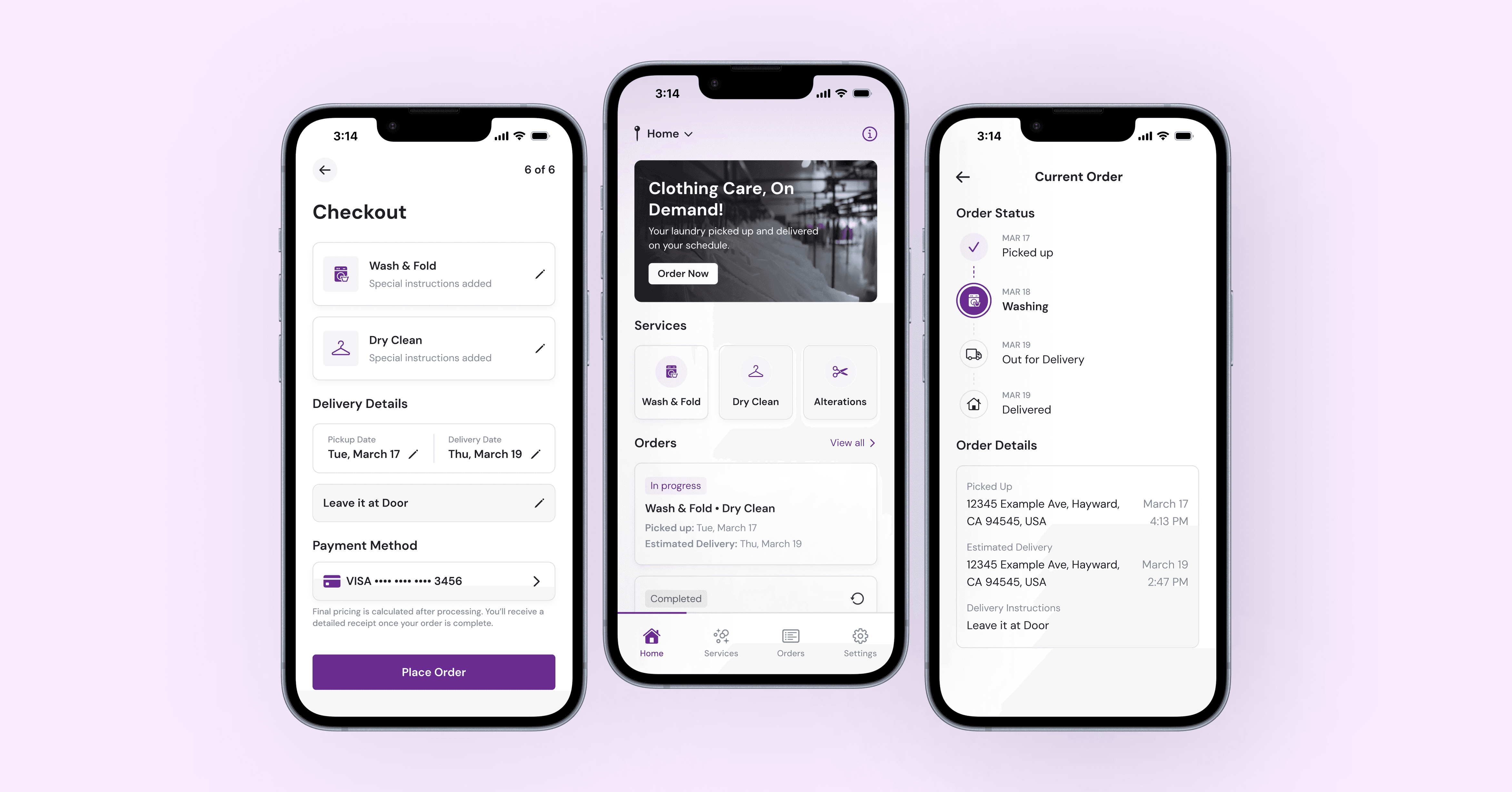
Displays current and past orders as cards that link to detailed views with status, receipts, and order information
In the original app, the order flow felt short only because most required information was collected earlier during onboarding, without clear context. Pricing was not shown during ordering, which made it difficult for users to understand cost as they selected services.
Although an exact total can’t be calculated until laundry is processed, users still wanted cost transparency and clear expectations. Without any pricing context, users were left guessing whether an order would be affordable, which increased uncertainty at a critical decision point.
When users returned later to place an order, many didn’t remember what information they had entered during onboarding and had limited ability to review or edit those details. Combined with the lack of pricing visibility, it was unclear what information applied to the current order and what the cost might be.
Old Orders Flow:
Focused mainly on selecting services and scheduling pickup and delivery
Relied on address, payment, and instructions collected earlier during onboarding
Did not show pricing while users selected services
Did not clearly show which details were being used for the current order
Offered no opportunity to review or edit order-specific information
To address this, I worked on redesigning the order flow to fully own the ordering experience and set clearer cost expectations.
Redesigned Orders Flow:
Moves order-specific information such as address, payment, and instructions into the order flow
Requests information at the moment it becomes relevant
Keeps pricing information visible while users select services so users can estimate cost as they make selections
Clearly communicates that final pricing is calculated once the order is complete
Allows users to review and edit details before placing an order
Breaks the process into clear, sequential steps
Uses progress indicators to show where users are and what comes next
Although the redesigned flow includes more steps, it feels easier to complete because users understand what they’re ordering, how pricing works, and what to expect next, even when an exact total isn’t available upfront.
Handoff
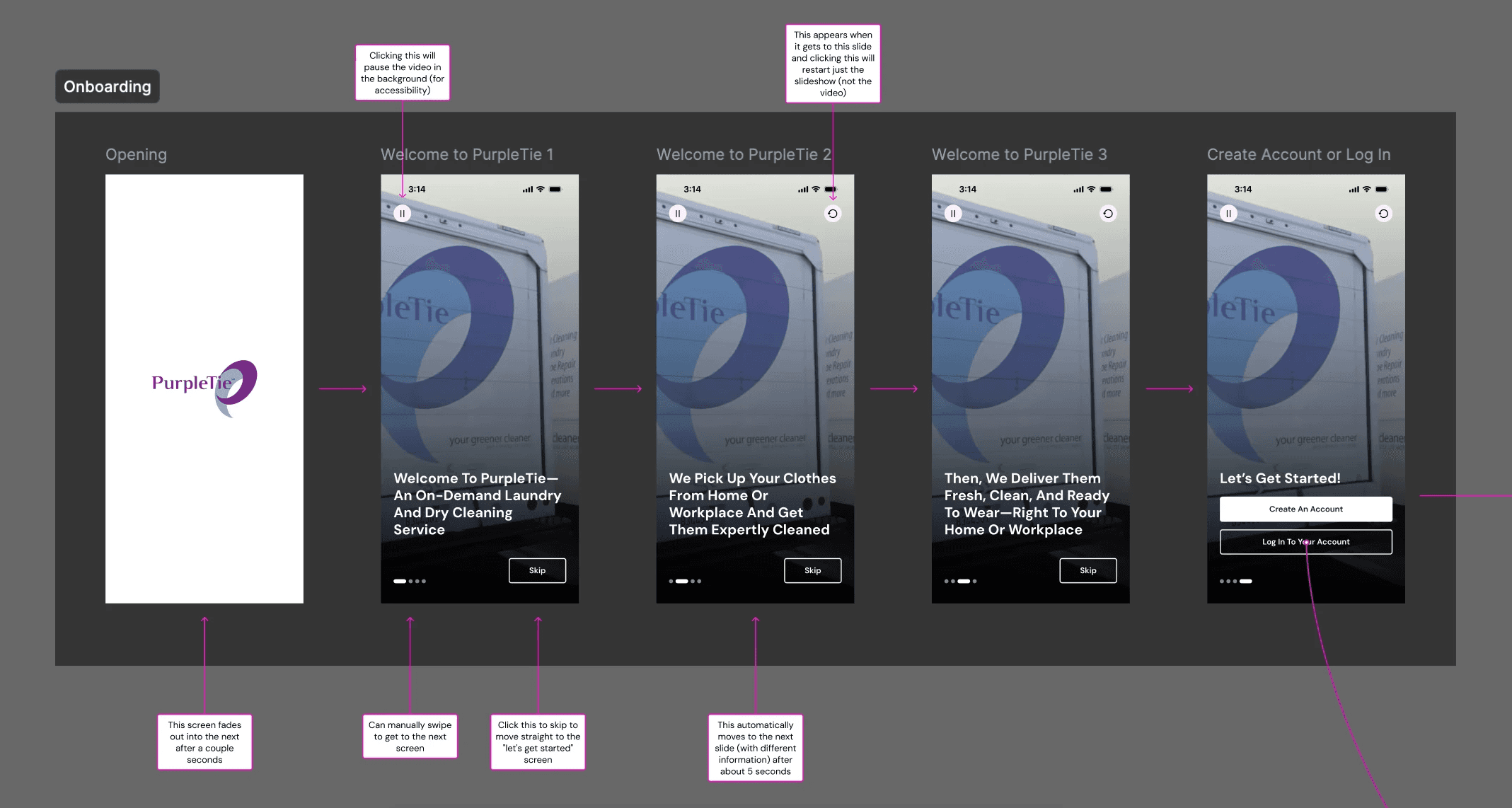
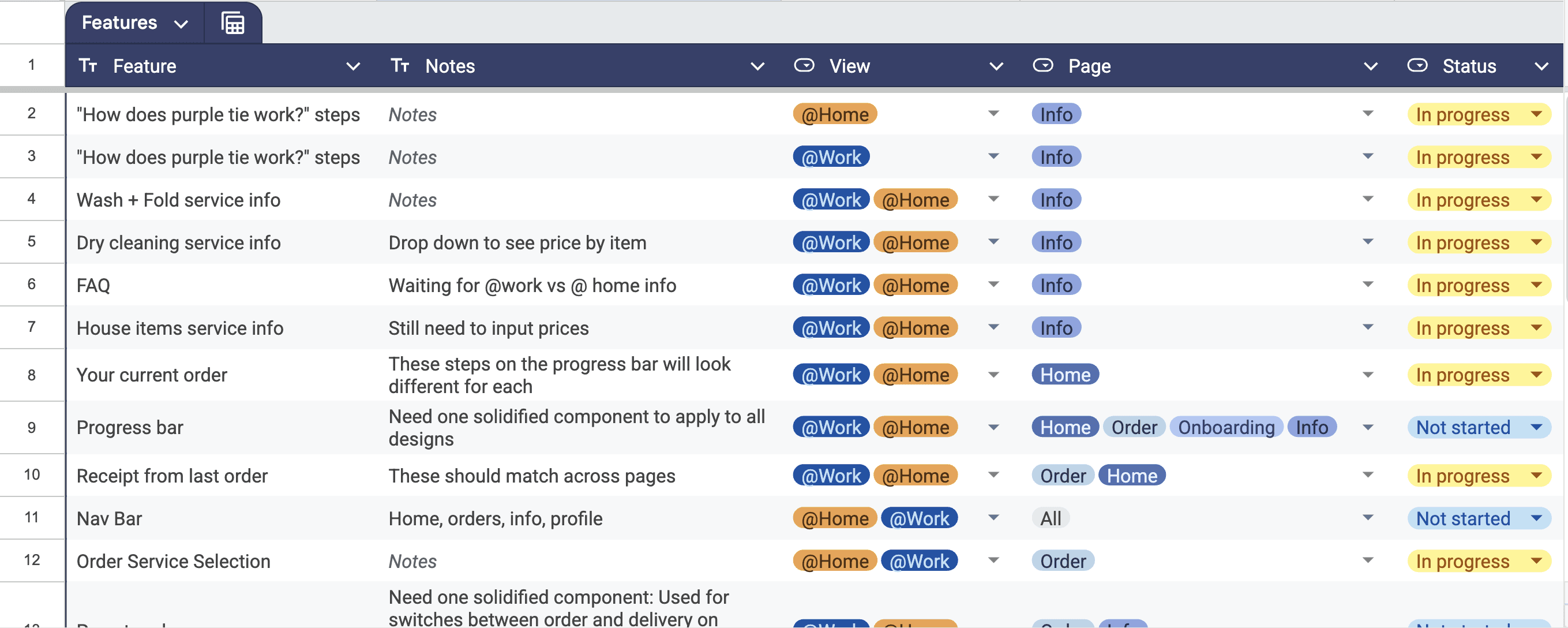
As design and development progressed together, our team annotated flows with interaction details and edge cases. My co-lead and I also coordinated closely with the Product Manager and used a shared tracker to keep developers aligned on design readiness.
Outcomes
The redesigned app was released to the App Store in January 2026. Download the PurpleTie app at this link! We are currently gathering user feedback and performance data, and this case study will be updated as insights emerge.
Note: Following the project, I made additional refinements for portfolio purposes. Some screens may differ slightly from the shipped version, but the underlying design decisions and flow improvements remain the same.
Reflection
This project strengthened my ability to:
Design end-to-end flows, not just individual screens
Translate research into user-centered decisions
Lead design & collaborate cross-functionally
Protoype
Interact with the prototype!
Open the prototype in a new tab if you prefer more space!